
The Quiet HUD Copilot Built for Live Interviews
Capture question context, bring proof points forward, and structure STAR answers in under 400ms without leaving your call.
Sign in & Install Kairo Desktop
Create a free account with 200 starting credits to link your desktop session history. One successful generated answer cue uses one credit. Payments are not available yet.
How to Open Kairo on Mac (2 Easy Steps)
If macOS displays an unverified developer warning when you launch Kairo for the first time, follow these quick instructions:
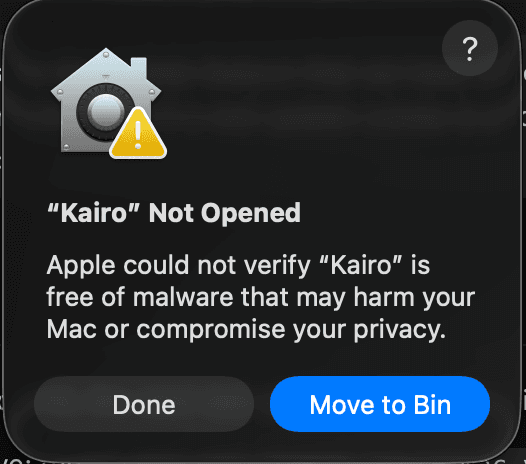
Click "Done" on Warning Prompt
When macOS shows "Kairo" Not Opened stating Apple could not verify malware status, click Done. Do NOT click "Move to Bin".
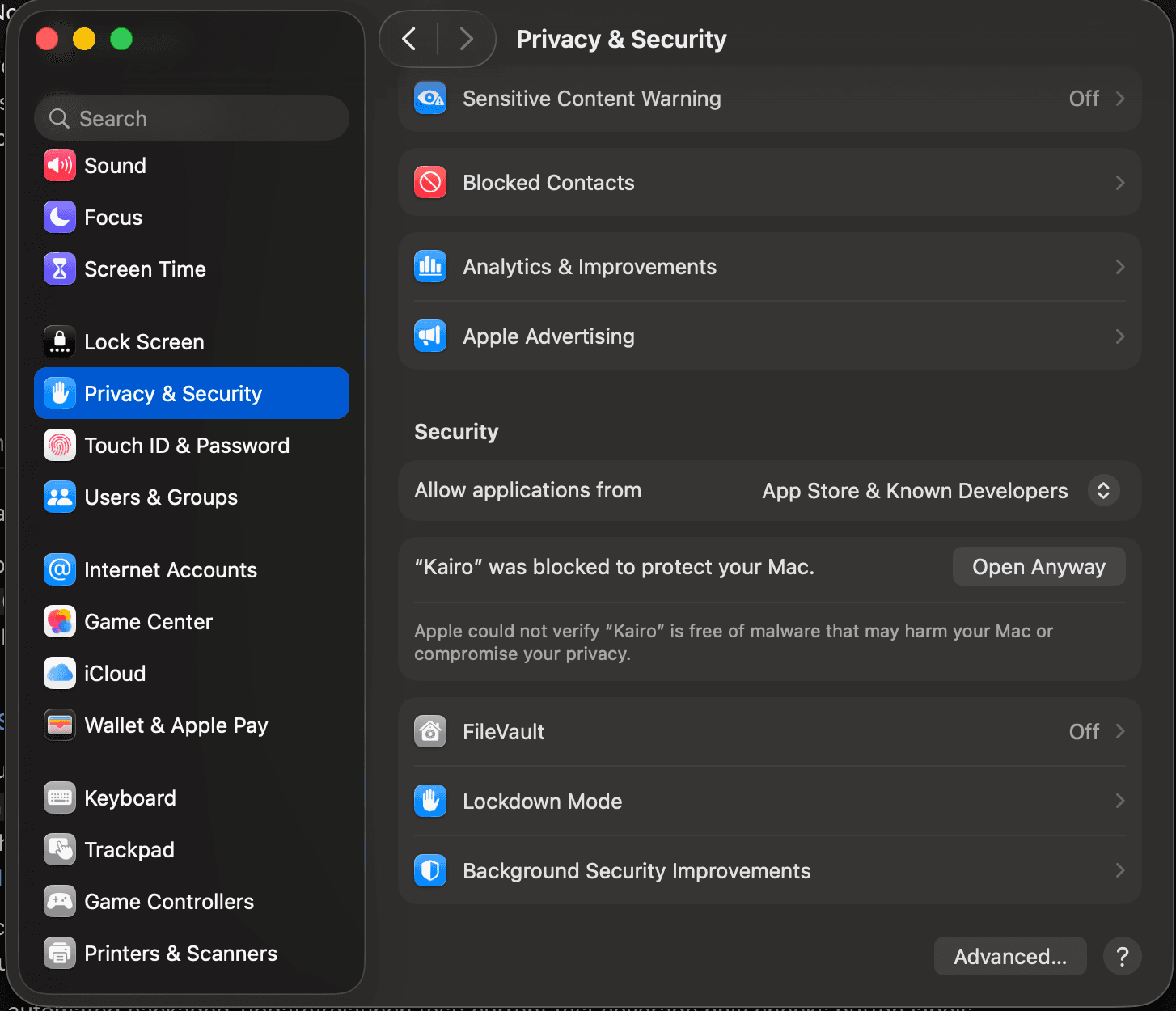
Click "Open Anyway" in Settings
Open System Settings → Privacy & Security, scroll to Security, and click Open Anyway next to the Kairo notice.
Engineered for High-Pressure Live Moments
Kairo Desktop combines sub-second AI inference with zero-footprint window overlay technology.
<400ms STAR Cues
Get instant STAR framework answer suggestions on live video calls without breaking eye contact or leaving the window.
Invisible HUD Overlay
Engineered for absolute privacy. Kairo HUD remains 100% invisible on Zoom, Google Meet, Microsoft Teams, and screen capture tools.
Multi Board Job Sync
Seamlessly connects with your web dashboard to score job descriptions and surface target engineering stack intel on demand.
Encrypted & Privacy-First
Your resumes, job targets, and interview history are locally cached and end-to-end encrypted across desktop and web sessions.
Frequently Asked Questions
Everything you need to know about installing and running Kairo Desktop